


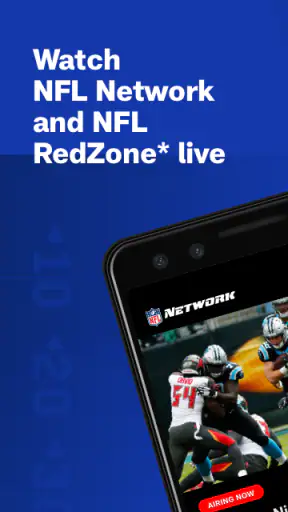
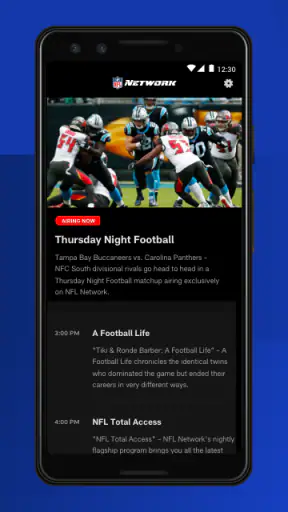
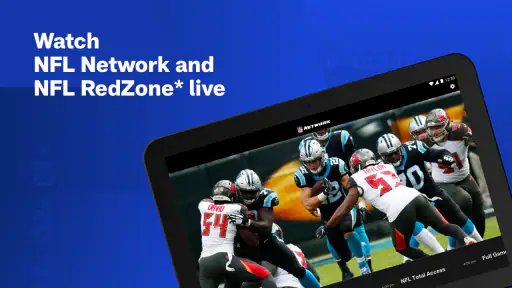
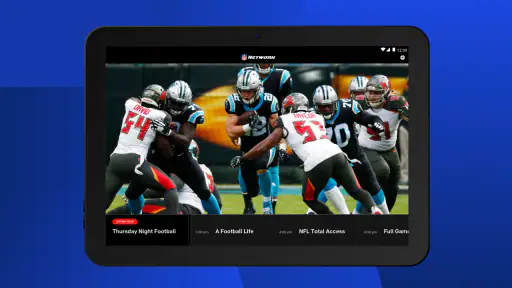
I approached NFL Network as the kind of sports app you open with one clear goal: get closer to live NFL programming without sitting in front of a television. Developed by NFL Enterprises LLC, it is a free app for Android and iOS devices, aimed at viewers who want NFL Network programming and NFL RedZone on a phone or tablet. After spending time with it, my impression is positive but practical: the app can be a useful second screen and a convenient way to follow coverage, yet the experience depends heavily on how your access, device, and connection are set up.
That distinction matters. This is not simply a general football news reader, and it is not a replacement for every sports-streaming service. Its strongest use is bringing the NFL’s dedicated programming closer to you when a television is unavailable or when you want to move around the house while keeping up with coverage. If that is what you need, it makes sense to try. If you only want occasional headlines or scores, a lighter sports app may be a better fit.
Where viewers usually get stuck
The first confusion is often about access
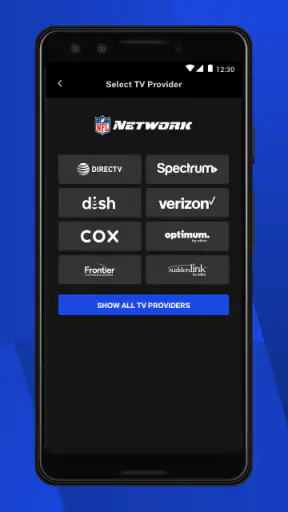
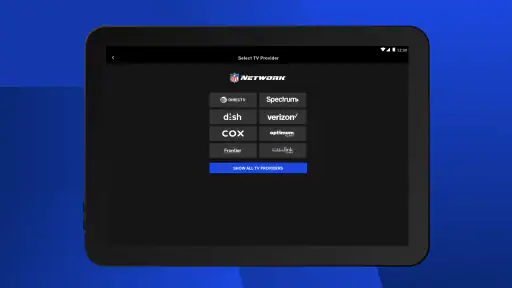
The most important thing I would tell a new user is to separate installing the app from being ready to watch everything inside it. The download itself is free, and the app carries an Everyone content rating, but that does not automatically make every viewing situation identical for every person. When a live stream does not start, many people immediately blame the application. In practice, the problem may be connected to account access, the television or service arrangement behind the viewing session, or a temporary connection issue.
I found it more useful to treat the app as one part of a viewing chain. The phone or tablet runs the application, the network carries the video, and the viewing entitlement determines what can be opened. If any one of those pieces is out of step, the result can look like a broken screen, an endless loading state, or a message that seems vague. Restarting repeatedly without checking the surrounding setup rarely solves that kind of problem.
Another common sticking point is expecting every piece of NFL content to behave like a short video clip. Live programming is more demanding than reading a headline or opening a schedule. It needs a steady connection and enough device resources to keep the stream moving. A phone that handles ordinary browsing perfectly can still struggle when it has to maintain continuous video, especially while other applications are active.
Why the phone experience can feel different from television
On a television, the viewing routine is usually simple: select a channel and watch. On a mobile device, there are more variables. You may switch between Wi-Fi and cellular data, lock the screen by accident, receive a call, or leave the app while checking a message. These interruptions are not unique to NFL Network, but they are more noticeable when you are following a live event and do not want to miss a moment.
I also think the smaller screen changes how the service should be used. It works well when you are traveling, waiting somewhere, or keeping a game-related program on while doing another task. It is less satisfying if your main expectation is the full-room atmosphere of a large display. The app gives mobility, not the same physical viewing experience as a television.
What the app is best at
Its clearest strength is focused access to NFL programming rather than a broad collection of unrelated sports. That focus helps if you already know you want NFL Network content or NFL RedZone. Instead of moving through a general sports platform and filtering football coverage from many leagues, you start with an NFL-specific destination.
That focus also creates a trade-off. Someone who follows football casually may not use the app often enough to justify another viewing destination. If your routine is mostly checking scores, reading team news, or watching short highlights, a standard sports application may feel faster. I would choose this app when live or network-style NFL coverage is the priority, not simply because it is associated with the league.
Setup checks that save time
Start with the device and operating system
The current version is 12.60.2, and the stated minimum operating-system requirement is version 9. Before troubleshooting anything complicated, I would check that the phone or tablet is running a compatible system and that the application has finished updating. An older device can sometimes install an app yet still provide a less comfortable viewing experience because of limited storage, background activity, or slower video handling.
I would also close applications that are playing media or consuming heavy background resources. This is not a special NFL setting; it is a sensible way to reduce competition for the device. Keeping the phone cool and reasonably charged is useful too, because sustained video playback can be harder on a mobile device than ordinary reading or messaging.
Check the connection before changing the app
When a stream pauses, I first compare the behavior on the current network with another reliable connection. A simple move from a weak Wi-Fi signal to a stronger one can reveal whether the issue is local. If the app works normally after that change, reinstalling it would have been unnecessary.
I would avoid making several changes at once. Test the connection, reopen the stream, and observe the result. Then try the other network if available. This small process gives you useful information instead of turning troubleshooting into guesswork. It is especially helpful when the problem appears only in one room, at one time of day, or during busy household internet use.
Give the viewing session a clean start
If the app opens but the video does not behave normally, I recommend closing it fully and launching it again before doing anything more drastic. Make sure the intended account or viewing route is being used, then return to the program from the normal in-app path rather than relying on an old notification or a stale screen.
Notifications can be convenient, but a notification may point you back to a session that is no longer active. I have found that returning to the main application and selecting the content again is often clearer. It also prevents confusion between a saved shortcut, an old program reference, and the live viewing path.
Prepare for mobile viewing instead of treating it like a quick clip
For a longer session, I would use a stable Wi-Fi connection when practical and keep the device connected to power if the battery is already low. This is particularly sensible for NFL RedZone-style viewing, where the point is to stay with ongoing coverage rather than watch a single brief segment.
Headphones can make the phone experience more comfortable in public or shared spaces, but they also introduce another possible source of confusion if sound seems missing. Before assuming the app has an audio problem, check the device volume, silent mode, Bluetooth connection, and whether sound is being routed to another accessory.
Understand what the store information tells you about fit
The app has an average rating of 4.5 from around nineteen thousand ratings, with more than four thousand written reviews and over one million installs. Those figures suggest that it has reached a substantial audience, but they do not guarantee that every viewer will have the same experience. Live video is especially sensitive to the device, network, and access arrangement around it.
I mention this because a strong overall rating should encourage a trial, not replace your own setup check. The app is free to install, which lowers the barrier to testing it. I would use that advantage: install it, open it before an important viewing moment, and confirm that your normal route into the programming works before you actually need it.
Recovering a disrupted viewing workflow
When playback stops in the middle
If playback pauses, I first wait briefly to see whether the connection recovers, then check whether other internet activity in the home is competing with the stream. If the pause continues, I close and reopen the app. After that, I test whether another program or section loads. This helps distinguish a problem with one viewing session from a broader application or network issue.
I would not repeatedly tap the play control while the app is still trying to respond. Multiple taps can make it harder to tell whether the stream is loading, paused, or waiting for a new session. A calm restart is usually more informative than a series of hurried commands.
When the app opens but the expected program is not available
This is where expectations and access can easily become mixed together. The app is designed around NFL Network programming and NFL RedZone, but what you can watch at a particular moment still depends on the viewing arrangement connected to your use of the service. If a title or live option does not open, I would first confirm that I am using the correct access path rather than assuming the application has lost the content.
I would also check whether the program is live or whether I have opened a related information page instead of the actual viewing option. Mobile interfaces can place editorial information and video entry points close together, and the difference is easy to miss when you are in a hurry. Returning to the main screen and selecting the program again is a simple way to remove that uncertainty.
When sign-in or session behavior becomes confusing
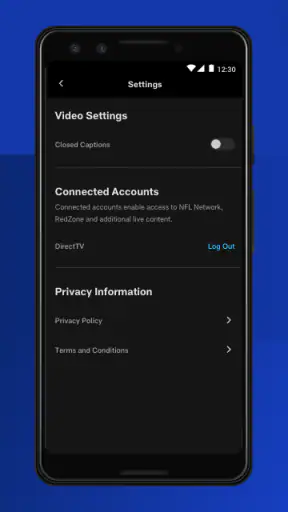
If the app appears to forget a session, I would avoid immediately deleting it. First, I would close the application, reopen it, and carefully follow the normal sign-in or access process. If another person uses the same device, I would also check whether the active account is the one intended for viewing. Shared tablets are convenient, but they can make account confusion look like a technical failure.
Reinstalling should be a later step, not the first one. It can remove local application problems, but it also means repeating the setup process. Before taking that step, I would make sure I know the credentials and access details needed to return to the service. That small bit of preparation prevents a minor playback issue from becoming a longer account-recovery task.
A useful routine for important game days
My preferred workflow is to test the app earlier in the day, while there is time to fix a connection or account problem. I would open the application, confirm that the intended programming route is available, check audio, and make sure the device has enough battery. Then, when the actual viewing time arrives, I am not discovering basic setup issues during the opening minutes.
This routine is more valuable than it sounds because live viewing leaves little room for experimentation. It also lets you decide whether the phone is the right screen for the occasion. For a short check while away from home, it may be ideal. For several hours of coverage, a larger screen or another supported viewing method may be more comfortable if that option is already part of your setup.
Use the app as a companion without overloading it
One of the less obvious strengths of a mobile NFL application is flexibility. I can imagine using it while preparing food, commuting as a passenger, or sitting in a room without the main television. The best workflow is not always “watch everything on the phone.” Sometimes it is keeping the phone nearby for a portion of coverage, then switching back to the main screen when I can.
That approach also reduces frustration. A small display, changing network conditions, and incoming interruptions are easier to tolerate when the app is a companion rather than the only screen carrying the entire experience. For me, mobility is the real reason to install it; trying to make the phone behave exactly like a television misses the point.
When the app is not the cause
Network congestion can imitate an application failure
A stream that works smoothly in the morning but struggles during a busy evening may be affected by the local network rather than the application itself. Other people watching video, downloading large files, or using cloud services can reduce the consistency available to your phone. Testing at another time or on another reliable connection gives you a fairer diagnosis.
Cellular coverage can vary within the same building, too. A device may show a signal while still having difficulty maintaining a continuous video stream. If Wi-Fi is available and stable, I would compare the two instead of assuming the visible signal indicator tells the whole story.
Device settings and interruptions deserve attention
Battery-saving behavior, screen locking, audio routing, and incoming calls can all interrupt a mobile viewing session. I would check those areas before concluding that NFL Network is malfunctioning. If the picture continues but the sound disappears, the first suspects should be the phone’s volume and output route. If playback stops when the screen locks, review the device’s normal behavior around background activity rather than repeatedly reinstalling the app.
Storage can matter as well. Even when a service streams content instead of storing it permanently, a phone with very little free space may behave unpredictably in everyday use. Clearing room for the operating system and normal application activity is a sensible general maintenance step.
Compare the problem across devices
If you have access to both a phone and a tablet, trying the same viewing route on each can be revealing. A problem appearing on only one device points toward local settings, software state, or hardware limitations. A problem appearing everywhere points more strongly toward the network or access arrangement.
This comparison is one of the most practical troubleshooting tools because it avoids guessing. It also helps you choose the better screen for real use. A tablet may be more comfortable for extended viewing, while a phone is easier to carry. The app’s presence on mobile devices is valuable precisely because you can adapt the screen to the situation.
Know when another option is more sensible
I would skip this app if my main need were a broad sports dashboard covering many leagues, teams, and competitions in one place. A general sports service may be more efficient for scores and mixed coverage. I would also look elsewhere if my priority were a large-screen, living-room-first experience and I already had a dependable television option that met that need.
On the other hand, I would choose NFL Network over a generic sports app when the goal is specifically NFL Network programming or NFL RedZone on a phone or tablet. The narrower focus becomes an advantage in that situation. You are not installing it because it does everything; you are installing it because it serves a particular football viewing purpose.
What the age rating and price mean in practice
The Everyone rating makes the app broadly approachable for households, although the suitability of any live sports programming still depends on what each family is comfortable watching. The free price also makes it easy to test without committing money just to discover whether your device and viewing setup cooperate.
That does not mean there is no practical cost. Your time, mobile data, battery, and access arrangement all affect whether the experience is worthwhile. I would be especially careful with extended viewing over cellular data if your plan is limited. A free application can still be a poor choice for a particular situation if the connection is expensive or unreliable.
My practical verdict after using it
NFL Network is worth installing when mobile access to dedicated NFL programming is the reason you are looking. I like its clear purpose, its free entry point, and the convenience of having NFL Network and NFL RedZone viewing available on a phone or tablet. It is a useful companion for fans who move between rooms, travel, or want an additional screen during football coverage.
My recommendation comes with one condition: test it before relying on it for an important live session. Check the operating system, confirm the viewing route, use a stable connection, and verify sound and battery. Those steps are not glamorous, but they address the places where mobile streaming most often becomes frustrating. If the app behaves correctly in your normal environment, it can become a dependable part of your football routine.
The current release, 12.60.2, sits within an app that has been available since November 14, 2012, and the long presence is consistent with its established role in the sports category. Still, I would judge it by your actual viewing habits rather than its age or popularity. Around nineteen thousand ratings and more than one million installs show that many people have made room for it, but your decision should come down to whether you need NFL-specific live programming on a mobile screen.
For me, the answer is yes when I am away from the television and want focused NFL coverage. It is no when I only need quick scores, when my connection is too inconsistent for live video, or when a general sports app already handles everything I do. That is the honest balance: this is a practical football viewing tool, not an all-purpose sports replacement. If its specific purpose matches yours, the free download makes trying it a sensible next step.


